





If you talk about a topic, do you have experience or training in it? What do you know that you can share? Expertise in a field draws the people who care about it.
The Creator’s Guide
دليل الصانع · 2026
Finding your niche, building your profile, and the craft of making content that matters.
0 / 9 chapters done
Who am I?
0 / 1 exercises done
Four questions that help you find your content
Is there a cause on your mind you want to put in the spotlight, social, environmental or anything else? Your content can raise awareness about it.
 Talent or hobby
Do you have a talent or hobby you would like to share with the world: writing, drawing, singing, anything? Making it part of your content draws attention and makes you stand out.
What are your dreams and ambitions? Do you have goals you want to reach? Would you share them, and encourage others to chase their own?
Your target audience
Knowing your target audience lets you make content that meets their needs and interests, and build strong, two-way relationships with them.

1
Demographics
Gender, location, income, education, job, marital status.
2
Psychographics
Interests, hobbies, lifestyle, values, attitudes and personality.
3
Technographics
Their devices, favourite social platforms and how they behave online.
4
Challenges and pain points
The problems, challenges or weak points your audience faces.
5
Communication style
How to talk to them: language, tone and how formal they like it.
6
Feedback and engagement
What comes back from them: comments and patterns of engagement.
Setting up your account
1
Username
Make sure your username matches your field, and that it is easy to remember and to type.
2
Bio
- Give a short, catchy introduction to you and your content.
- Use keywords from your field so people find your profile in search.
- Add a call to action that invites visitors to engage with your content.
3
Profile picture
Use a known logo or a clear photo of yourself that fits your field, and make sure it is high quality.
Have you chosen your content?
Answer in a few words and we’ll draft your first bio lineYour answers stay on your phone.
Nonviolent communication
Can compassion be learned? How we think, express ourselves and communicate can breed violence, or make connection easier.
0 / 2 exercises done


Four basic steps
Observation
An observation describes a fact that is not open to interpretation. Leave out prejudgement, stereotypes and analysis.
Feelings
Being aware of feelings helps us understand what we feel, and what others feel.
- Joy
- Sadness
- Fear
- Anger
- Disgust
Needs
The basic, natural needs a person has in order to survive and thrive.
- Positive
- Shared
- Basic
- They change as priorities change
Request
A compassionate request sets the frame of the relationship:
- It names what you observed
- It names the feeling
- It names the need or the goal
- It has a time frame
- It is not a threat or a wish
- It is achievable
- And above all, it can take “no” for an answer
Practise the steps
Put the four steps in orderDrag the notes into the right order, or use the arrow keys.
- Request
- Observation
- Needs
- Feelings
Observation or judgement?
You were twenty minutes late for our meeting.
You never care.
You haven’t answered my message in two days.
Your videos are boring.
Qualities of an effective creator
0 / 2 exercises done

Six qualities
Proactive and responsible
Takes responsibility, and is able to get things started effectively.
Diplomatic and flexible
Adapts to shifts and changes, and handles different ideas and opinions with tact and understanding.
Emotionally intelligent
Understands and manages their own emotions and other people’s, effectively.
Mediator and collaborator
Has the communication skills to mediate and build cooperation, and encourages teamwork toward shared goals.
Nonviolent advocate
Stands up for just causes, avoids violence, and relies on dialogue and peaceful ways of resolving conflict.
Positive and optimistic
Meets challenges with a positive approach, and believes things can get better.
Do you know other qualities?
Which of these do you already have?
Add a quality of your ownIt stays on your phone.
Content writing
0 / 3 exercises done
Three parts of every script
1
Intro
Grab the audience’s attention with a hook that opens the topic.
2
Body
Lay out your main points, examples and evidence to support your argument or message.
3
Close
Sum up the main points and end with a strong call to action.
The hook
Ask an inspiring question
If you had only ten seconds to win over a stranger, what would you say?
Share a surprising statistic or fact
Sunlight travels 150 million km to reach you in eight minutes. Your viewer will give you far less time than that.
Tell a gripping story
The first video I posted had exactly one viewer: my mum. Here’s what it taught me.
Use humour or wit
I tried to film a cooking video. The oven won.
Body and call to action
- Give the facts, examples, evidence and explanations that support your points.
- Bring in a range of views to enrich your content and make the discussion complete.
- Share funny stories from daily life or from your own experience.


- Use specific verbs such as “Subscribe now”, “Sign up” or “Tap here”.
- Your call to action should move the viewer to a step that fits your topic and its goals.
- Bold colours and distinctive icons make a call to action work harder.
- A good call to action turns viewers into followers or subscribers.
Two quick exercises
Put the script in orderDrag the notes into the right order, or use the arrow keys.
- Body
- Close
- Intro
A year ago I filmed my first video on a phone with a cracked screen. Today I’ll tell you what changed.
Which kind of hook is this?
Right! “A year ago…” starts a story, and the viewer stays to find out what happened next.Not quite. Look at “A year ago…” and try again.Before you film
Interactive theatre
0 / 2 exercises done


In front of the camera
Write down your points with the main feelings you want to get across and talk about.
 Eye contact
Look straight into the camera lens, and avoid looking at the screen or off to the side.
Speak clearly and audibly, avoid rushing or hesitating too much, and keep a balanced, fitting pace.
 Body language
Use your body language and facial expressions to strengthen what you say.
 Creative delivery
Try to present your content in a creative way, so you stand out from others.
 The camera is your stage
Theatre is a way to carry people’s voices. As a content creator, you can carry people’s voices from behind the lens.
Before you press record
Where do you look while you record?
Right: looking into the lens means looking your viewer in the eye.Not quite. Your viewer sees your eyes through the lens. Try again.Ready to record?
The art of filming
0 / 2 exercises done




Camera angles
 High angle
Often used to make the subject look smaller or less important.
 Eye level
The most common angle; it shows the subject naturally.
 Low angle
Used to make the subject look bigger and more powerful.
Shot sizes
The face fills the frame: for feeling and detail.
From the waist up: for talking and explaining.
The whole person in the place: so the viewer knows where we are.
Motion and resolution
The more frames per second (FPS) you shoot, the more you can use slow motion.
The same shot slowed down four times: the more frames, the smoother the motion stays.
 Resolution: FHD or 4K
More pixels mean more detail, and bigger files.
| Resolution | Vertical pixels | Horizontal pixels | Total pixels | Marketing names |
|---|---|---|---|---|
| 4K | 2160 | 3840 | 8 million+ | Ultra High Definition, Ultra HD, UHD |
| 1080p | 1080 | 1920 | 2 million+ | Full High Definition, Full HD, FHD |
The exposure triangle
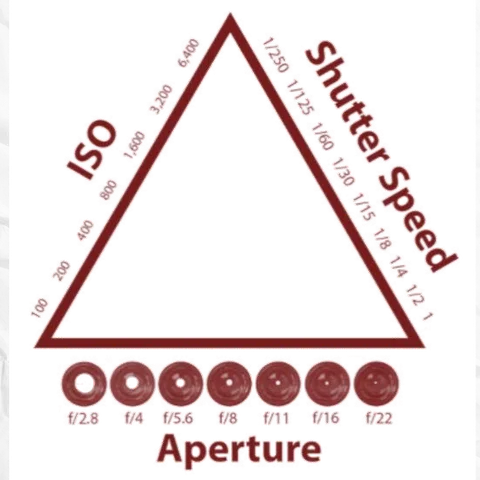
The higher the ISO, the brighter the picture, but the noise in it can grow too.
A fast shutter (1/100) makes motion look sharper and more detailed; a slow one (1/25) makes it look more natural and smooth.
When the aperture is wider (a smaller f-number), more light reaches the sensor, so the picture is brighter.
The rule of thirds
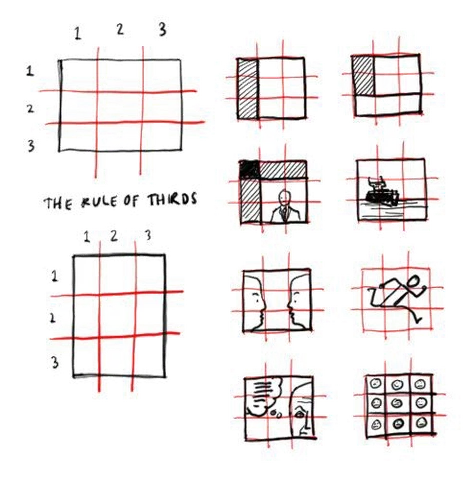 The rule of thirds
It helps create balance, depth and appeal in a picture’s composition.
Imagine two lines across and two down, splitting the picture into nine; put the most important thing on one of the crossings, not dead centre.
Try the triangle yourself
Move the sliders and watch the picture change
You want a slow-motion shot. What do you raise?
Right: the more frames per second, the further you can slow the shot down.Not quite. Slow motion needs more frames in every second. Try again.The art of lighting
0 / 1 exercises done
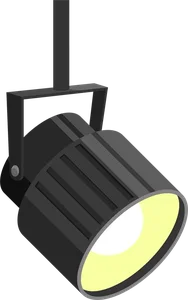

Four lighting setups
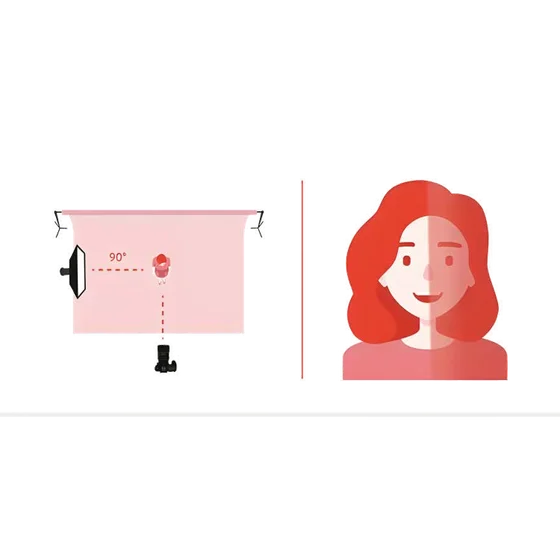 Split lighting
One side of the face or body is lit and the other is left in shadow, making a clear split between light and shade. It often gives a dramatic, striking look that adds depth to the picture.
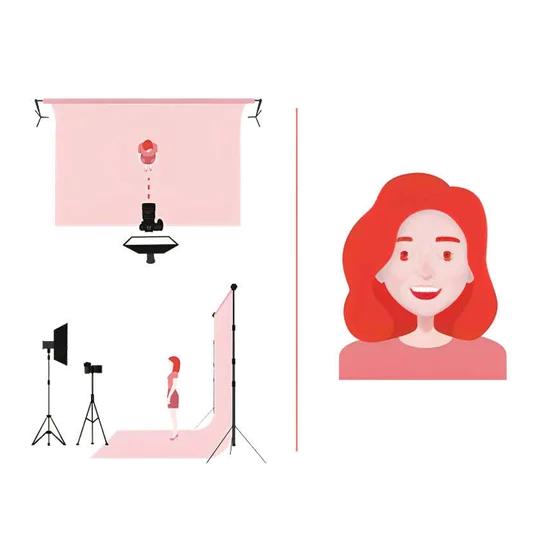 Butterfly lighting
The key light shines straight onto the face. It is widely used to show all of a person’s features and detail.
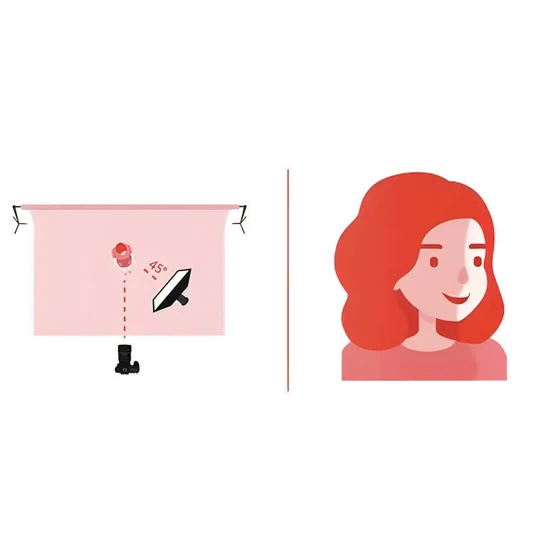 Short lighting
The side of the face turned away from the camera is lit, so the lit side looks smaller, or “shorter”. It builds depth and carries mood and drama.
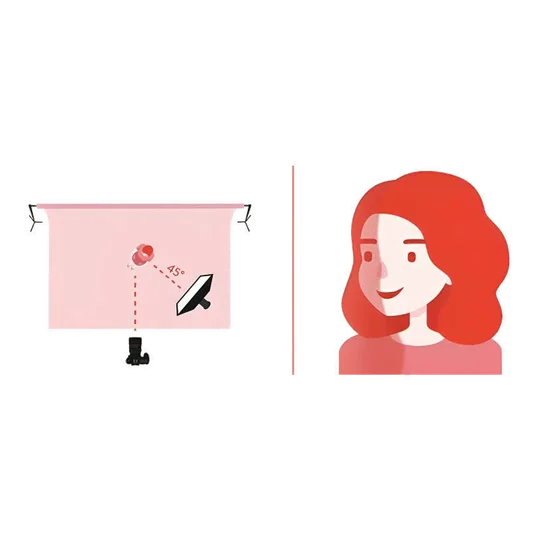 Broad lighting
The side facing the camera is lit, so the lit side looks bigger, or “broader”. It reduces shadows and shows more detail in the face.
Natural light sources for filming
The sun is the most plentiful natural light, and it can set a different mood depending on the time of day and the weather.
Window light

Window light can give soft, beautiful light for filming indoors.
Golden hour and blue hour

Golden hour and blue hour are both ideal times to film outdoors.
Golden: just after sunrise and just before sunset. Blue: just before sunrise and just after sunset.
Read the light
Which lighting is this? Look at where the shadow falls.


The art of editing
0 / 1 exercises done

Five editing tools
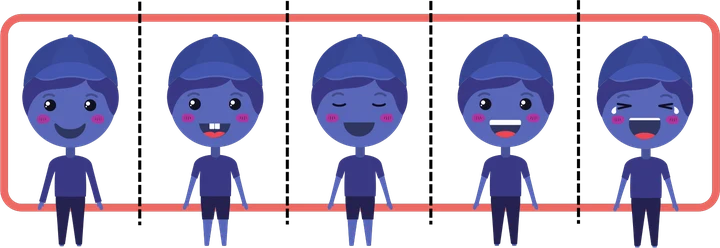 Jump cuts
Cut the pauses and slips out of your talking clips, to keep the pace quick and the viewers with you.
 Transitions
Use smooth transitions between clips to give your content flow.
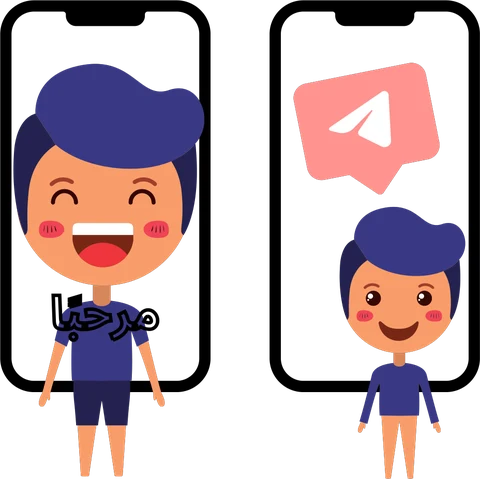 Overlay text and graphics
Put the words on the video and add a few graphics to enrich your content. Make sure the text is clear and easy to read, especially on small screens.
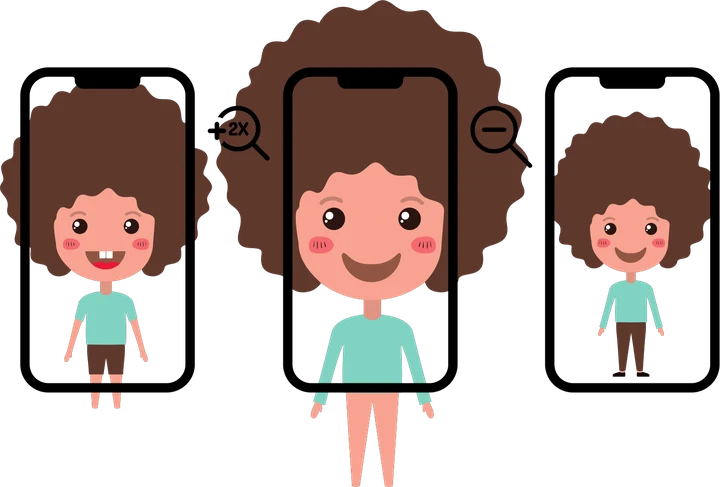 Dynamic camera movements
Try camera moves such as pans and zooms to add energy and excitement to your content.
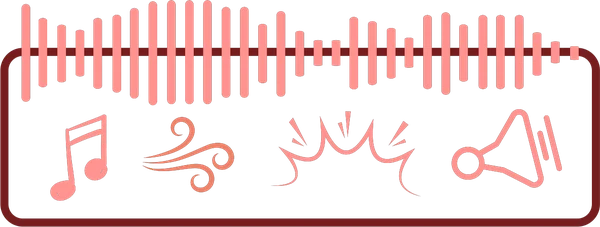 Music and sound effects
Choose background music or sound effects that complete your content’s mood and tone, and make sure the sound lifts the viewing without drowning the picture.
Best editing apps
 InShot
 CapCut
 VN
VNWhich tool?
Which editing tool is this?
You cut the silences and stumbles between your sentences.
You put the key word on screen so it reads on a phone.
You slowly zoom in on the speaker’s face.
Reach and algorithms
The algorithm is the system that decides which content spreads and is shown to people.
0 / 2 exercises done
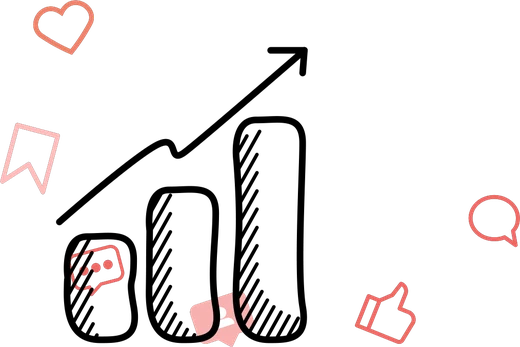

Five signals the algorithm watches
The algorithm weighs how much people engage with a post in its first hours: likes, comments, shares and saves.
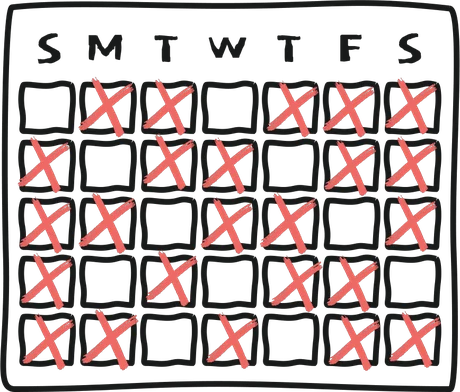 Consistency
Posting almost every day tells the algorithm your account is active and relevant, which brings better reach and more engagement over time.
 Video length
Keeping a video short and to the point (40 seconds at most) holds viewers’ attention and raises how much of it they watch.
20–40 sec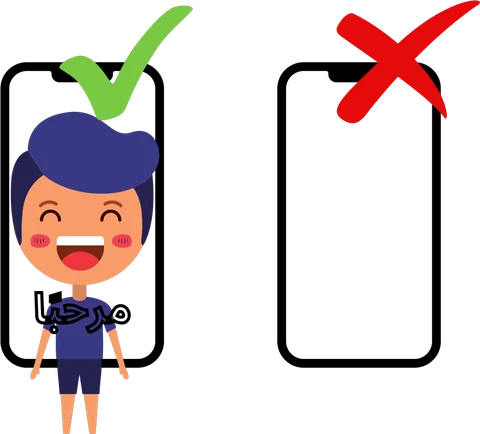 High-quality content
High-quality content, with engaging visuals and explanations, spreads further.
 Trending sound
Trending music or sounds help a video spread and catch attention from its first second.
Before you post
When does engagement count most?
Right: the first hours matter most, so stay close by to answer comments.Not quite. Read the Engagement card again and try once more.Posting checklist
This guide is yours
This guide is public property, made for content creators and people who work in media. When you use it, please keep the iContent identity with it.
0 / 9 chapters done